
Below you can see information to help you view the status of your child’s homework pieces through the Edulink One webapp. You can also install the app for iPhones and Android/Samsung phones.
Desktop/Laptop
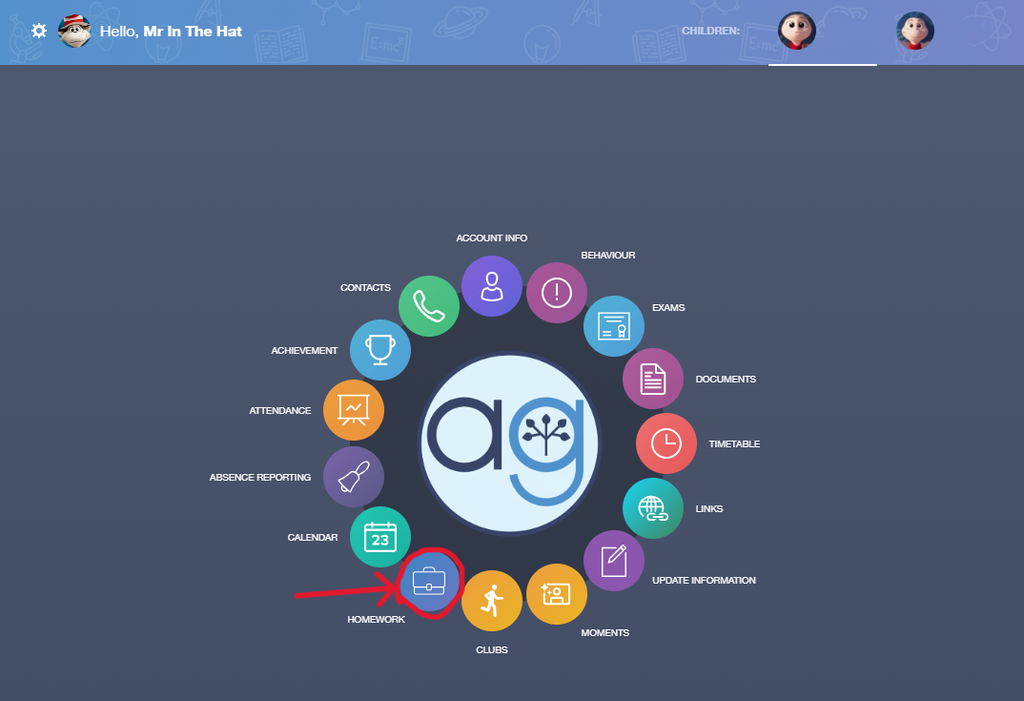
To view your child’s homework, simply click the Homework button on the home screen.
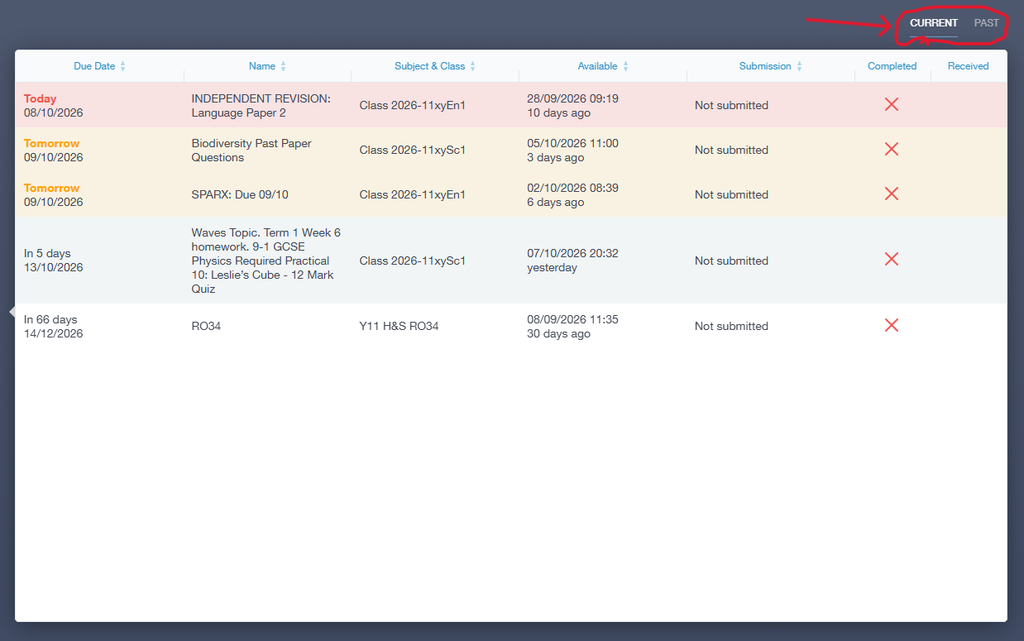
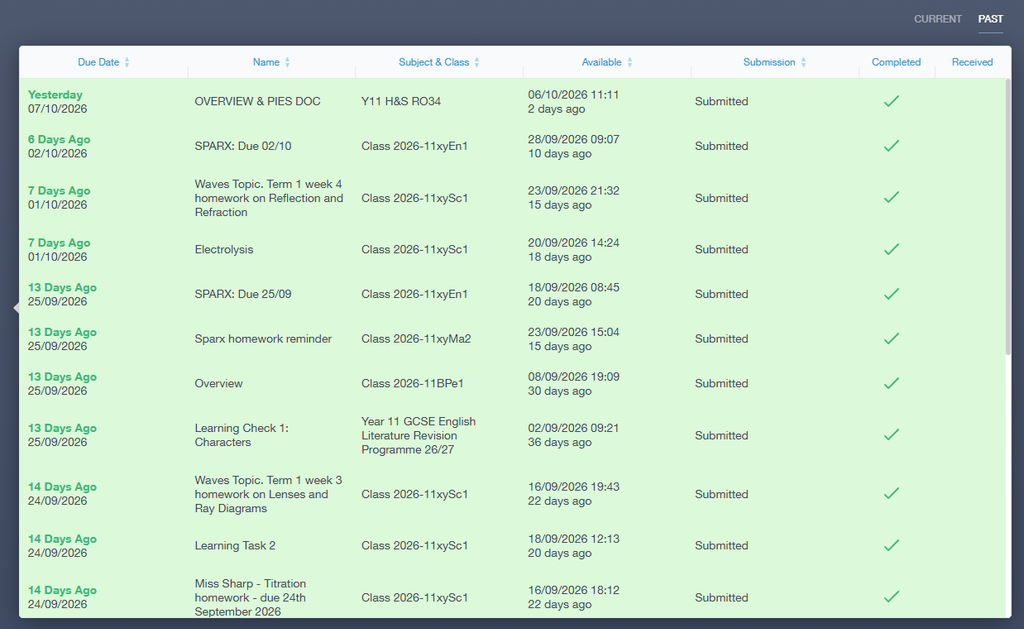
Here you will see the currently assigned homework that teachers have assigned through Google Classroom, the due date, and whether it has been handed in yet. In the top right there is a toggle to see previously assigned homework pieces.
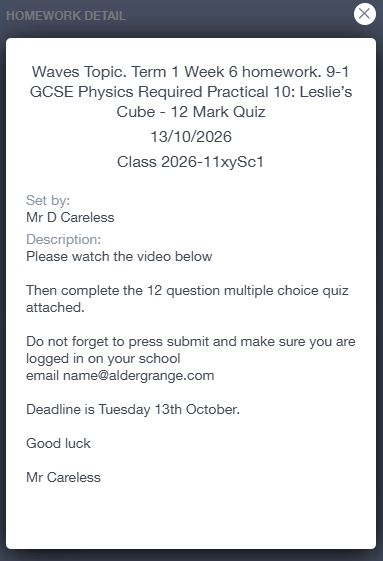
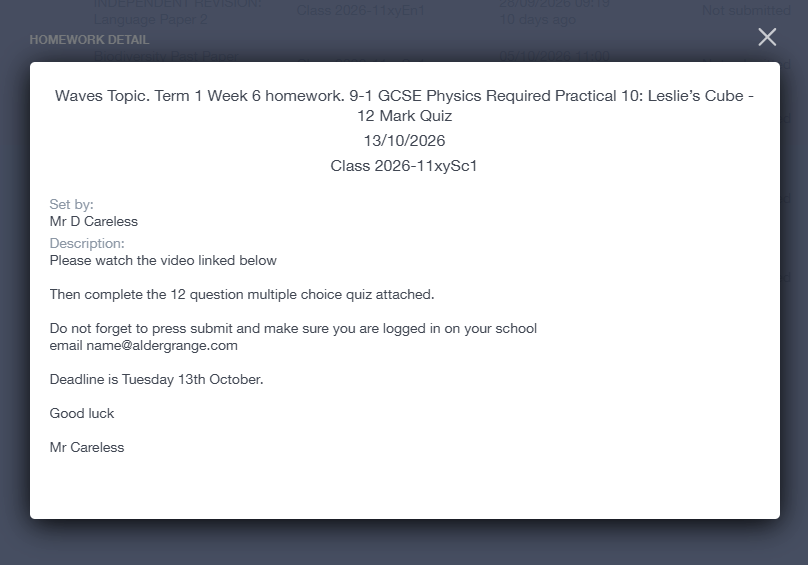
You can also click each homework task to view further details of the task.
Mobile
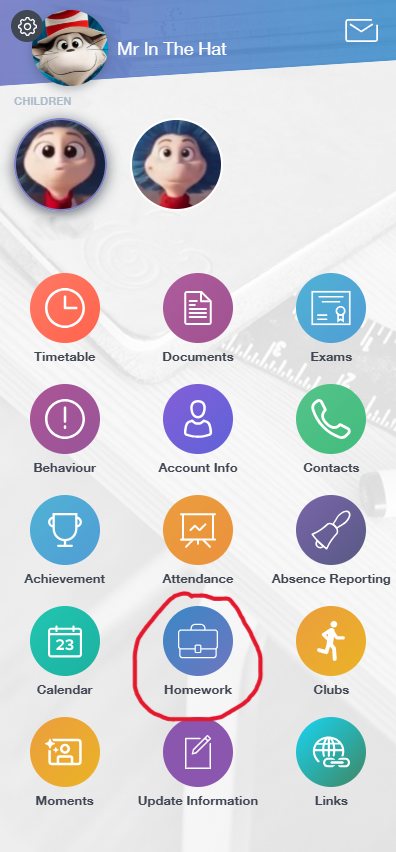
To view your child’s homework, simply tap the Homework button on the home screen.
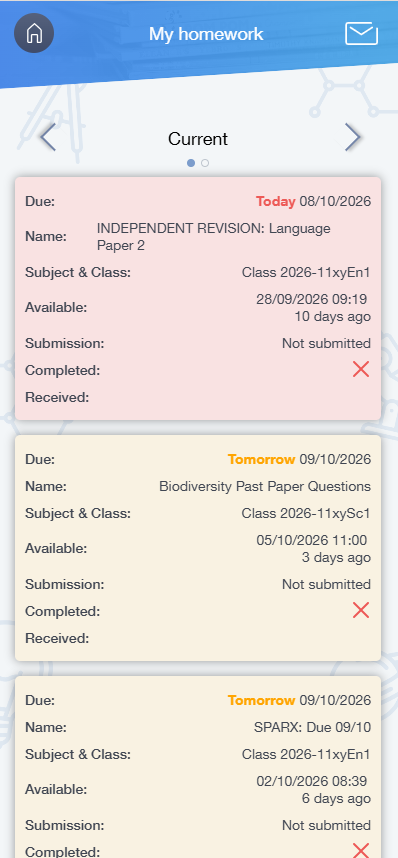
Here you will see the currently assigned homework that teachers have assigned through Google Classroom, the due date, and whether it has been handed in yet. Using the arrows at the top, you can swap to see previously assigned homework pieces.
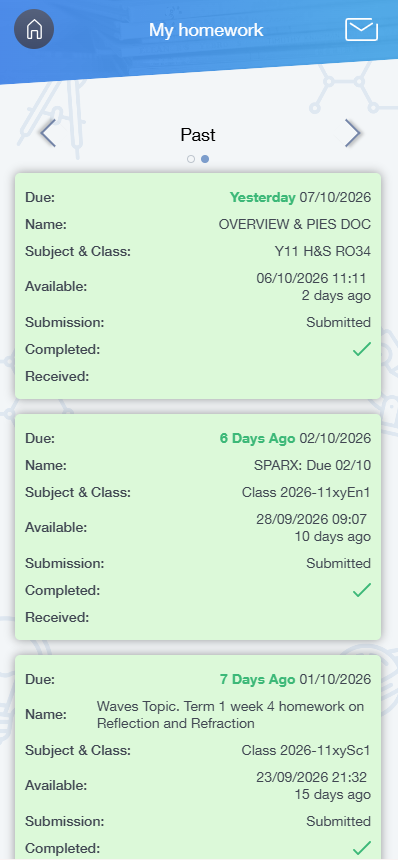
You can also tap each homework task to view further details of the task.